
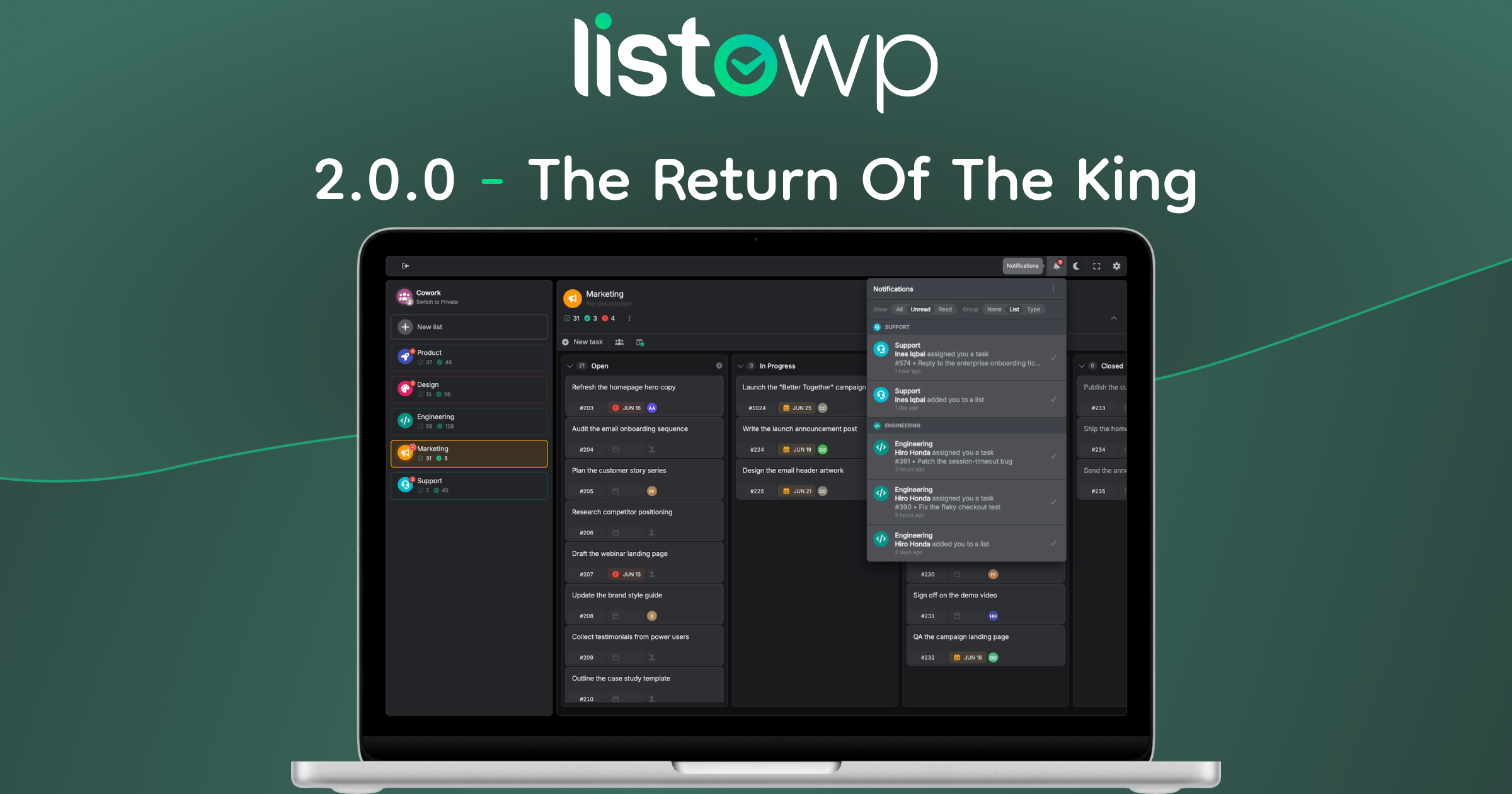
Introducing a brand new Listo – the biggest release in ListoWP’s history. Two years of work bring team collaboration with Cowork, tasks you can discuss, assign, add attachments & subtasks, and a top-to-bottom redesign and re-engineering.
What’s New
Almost every part of ListoWP has changed in this release: new features, a new design, and a rebuilt architecture underneath it all.
The headline is Cowork, a brand new way for a whole team to work together in ListoWP. For the first time, ListoWP is not only your own private to-do list – it is a shared space you can open up to the people you work with, right on your own site, with no per-seat pricing.
Single tasks have evolved. Every task is now a rich, discussable unit of work – with comments, reactions, file and link attachments, subtasks, and a full activity history – so context lives on the task itself instead of scattered across chats and inboxes.
And around all of it, ListoWP has been redesigned from the ground up and re-engineered underneath for speed and reliability, with more flexible lists and boards, deep-linking, keyboard shortcuts, per-user translations, and a long list of smaller refinements throughout.
Here is everything that is new.
Introducing Cowork
Cowork is the biggest addition in 2.0.0, and the feature we are most excited about. It began as Shared Lists – a basic way for a few people to work on the same list – and in this release it grows into a real home for team collaboration: a shared to-do list and board that lives entirely on your own WordPress site.
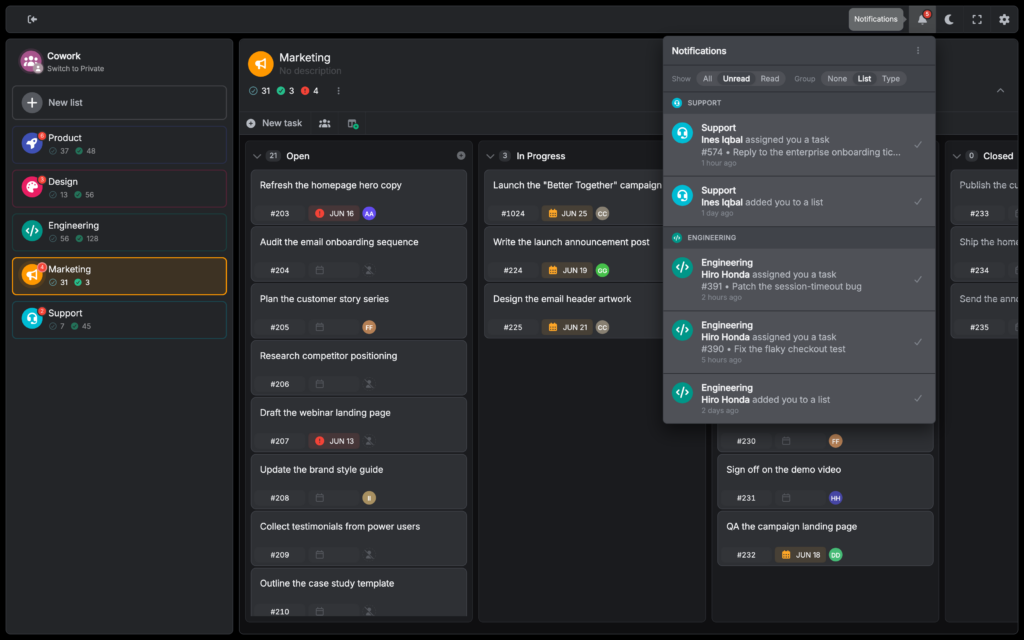
Each Cowork list has its own membership. The owner of a list adds people to it one by one, choosing from the members of your site, so a list holds exactly the people who need it and nothing is shared more widely than you intend. On a small site that might be your whole staff; on a large PeepSo community it could be any of thousands of members. Once someone is on a list, they share the same list and board, can be assigned tasks, and can comment and react on the work.
Because ListoWP runs on your own site with unlimited users on a single flat price, adding as many people as you need costs nothing extra. This is the first version of Cowork, though – membership is built up list by list and person by person – so we have focused on getting the foundations right: assignments, comments, reactions, attachments and notifications, with a good deal more to come.
Cowork keeps everyone in the loop with on-site notifications. You are alerted when you are added to a list, assigned a task, or when someone comments on your work, so the people who need to know stay in the loop. If your site runs PeepSo, ListoWP can post these notifications through PeepSo too. This is an early version – on-site only for now, with a wider set of triggers and preferences on the way.
Everything that makes a single task richer in 2.0.0 – comments, reactions, attachments, subtasks and more – works inside a Cowork list too. Those task improvements are next.
Tasks Improvements
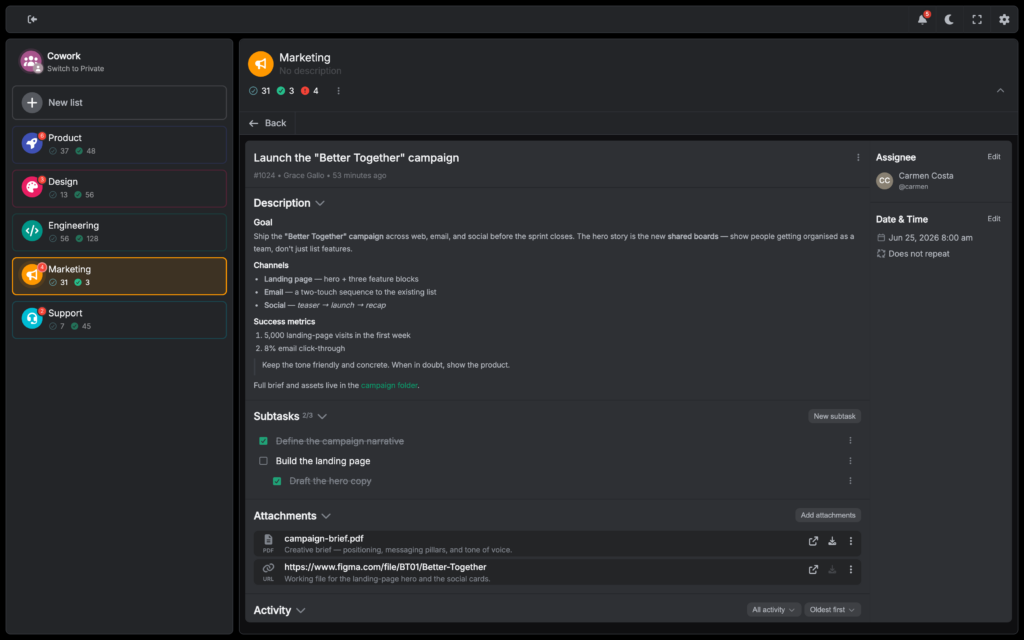
The single task is where most of your time is spent, so it received a lot of attention in 2.0.0. It has become a small workspace in its own right – a place to attach files, break work into subtasks, discuss, react, and see everything that has happened, all without leaving the task.
Assignments
In a Cowork list, any task can be assigned to someone on the list, so it is always clear who owns what. The assignee’s avatar appears right on the task row and again in the single-task view, so responsibility is visible at a glance – whether you are scanning a board or looking at one task in detail.
Attachments & subtasks
Give every task the context it needs. Attach files and links directly to a task, each with its own description, so specs, screenshots and reference material stay with the work instead of scattered somewhere else.
Break a task into smaller steps with subtasks – a simple checklist you tick off as you go. Subtasks support one level of indentation, so you can group related steps under a parent and keep a longer task organized.
Comments & reactions
Discuss any task in a comment stream on the task itself, instead of losing the thread in a separate chat tool. The whole conversation lives with the work it is about.
React to any task or comment with an emoji – one reaction per person, with a quick-pick of your most-used emoji. A lightweight way to acknowledge or celebrate without writing a comment. Admins choose where attachments, comments and reactions are available – Cowork lists, private lists, both, or off.
Rich Text Editor
The same Rich Text Editor now powers both task descriptions and comments. Format your text with the usual essentials – headings, lists, links and code – and see it rendered as you write, with no raw markup to wrestle with.
Audit & lock
Every task keeps a complete history. The activity log records what changed and who changed it, and you can filter and sort the stream to find exactly the event you are looking for – no more mysteries about how a task got to where it is.
Lock a task to protect it from further changes. You can lock one by hand, and it also happens automatically when you close a Repeating task: the completed copy locks so it stays an accurate record, while a fresh copy carries the work forward.
Lists, Boards & Columns
Lists are the backbone of ListoWP, and in 2.0.0 they became more flexible and more expressive. You have finer control over how a list behaves, what it looks like, and how a board is built – right down to individual columns.
Whether a list appears as a flat list or a board is now a real setting on the list itself – a mode you choose – rather than a temporary view toggle. Because a list and a board can sort and behave differently, making the mode a deliberate choice removes the confusion the old quick-toggle could cause.
Board columns are more capable. Each column shows how many tasks it holds, can be collapsed or expanded to save space, and lets you add a new task straight into it – so you can build out a board without leaving the column you are working in.
List Colors & Icons
Give your lists a visual identity. You can set a custom color for any of your own lists, and admins can set both a color and an icon for the built-in Smart Lists. Smart Lists can no longer be renamed – their names are now handled by the new translation engine – so colors and icons are how you make them your own.
On a related note, “Recurring” tasks are now called “Repeating,” with a fresh icon to match – a small rename that goes hand in hand with the new locking behaviour for repeating tasks.
Redesigned
ListoWP got a thorough visual overhaul in 2.0.0. The layout, the components and the small details have all been reworked into a cleaner, calmer interface that is easier to move around in. The UI is now built around a clear three-part layout: a main toolbar, a sidebar for navigation, and the content area where your lists and boards live.
The single-task view was rebuilt to match – a sidebar alongside clearly separated sections – so viewing and editing a task follow the same consistent flow as the rest of ListoWP.
The whole visual language has been refreshed – colors, spacing, borders, button shapes, tooltips, rounded corners and contrast have all been reconsidered – and it holds up in both light and dark mode.
Destructive actions now ask you to confirm in a standardized warning dialog, so nothing important disappears from a stray click.
Loading states are clearer too, so you can always tell when ListoWP is working and when it is waiting on you.
Fit automatically, even better on mobile
ListoWP can adapt to the page it sits on. Switch on automatic dark and light mode and it follows the colors of the surrounding page, so it blends with your theme instead of clashing with it.
It can also move between full-screen and inline on its own, based on the space available – roomy when there is room, compact when there is not.
Your theme, display mode and sidebar state are now remembered per browser.
ListoWP now responds to the size of its own container rather than the browser window, so it lays out correctly whether it is full-screen, in a narrow column, or tucked into a smaller part of the page.
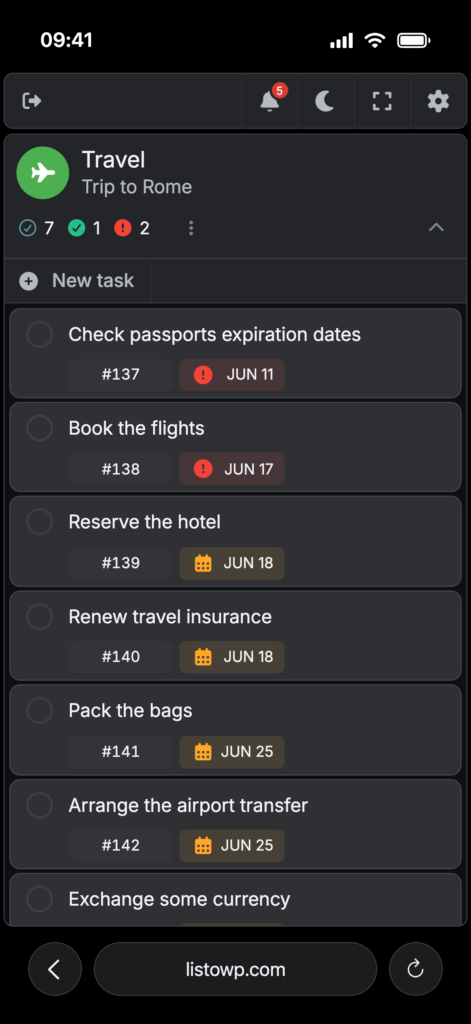
The narrow, mobile-first layout has been redesigned from scratch to make the most of a small screen.
And touch devices are properly handled – smoother drag-and-drop, better behaviour from the on-screen keyboard, and lots of small touches.
Re-engineered
A redesign is only half the story. Underneath the new look, much of ListoWP was rebuilt for speed and reliability – so it does not just look better, it feels quicker and gets in your way less.
Loading was completely rethought, with a clearer cadence and hierarchy to how things appear. Clicking around quickly no longer trips ListoWP up – the race conditions that could once load the wrong thing have been designed out.
Large lists and boards stay quick thanks to incremental “load more” paging, so ListoWP fetches what you need as you go instead of trying to load everything at once.
A new router gives every list and task its own address. Link straight to a specific task from a message, a comment or a bookmark and it opens exactly where it should, with no scrolling to find it once the page loads.
Keyboard Shortcuts
Shortcuts throughout for the things you do most – create a task or list, switch context, open preferences, and more. Keep your hands on the keyboard and move through ListoWP without reaching for the mouse.
Translations
One of the quieter but larger changes in 2.0.0 is a brand new translation engine. It powers everything you read in ListoWP, and it lets language become a personal choice rather than a site-wide setting.
The translations are shipped inside the plugin and cover the whole ListoWP app, so every label, button and message appears in the right language, with no language packs to install. The wp-admin settings stay in English for now.
Per-user interface language (beta): each user can pick their own ListoWP language from Preferences, independent of the site language.
PeepSo integration
ListoWP has always been at home in a PeepSo community, and 2.0.0 tightens that integration further.
On a PeepSo site, ListoWP can route its notifications through PeepSo itself, so alerts about your tasks arrive alongside the rest of a member’s PeepSo notifications rather than in a separate place.
ListoWP’s icons have been refreshed to match PeepSo’s latest icon set, so the two sit together cleanly and feel like one product rather than a bolt-on.
And the integration now uses the same new URL hash router as the rest of ListoWP, so deep-linking to a list or task works consistently inside PeepSo too.
This Is Just The Start
Two years is a long time between releases, and we are grateful you stuck with us. ListoWP 2.0.0 lays the foundations – Cowork, richer tasks, a fresh design and a rebuilt core – and many of these features are only getting started. There is a great deal more to come.
Changelog
A full list of changes can be found here.